Distraction-free
reading experience
Shelfy turns any article you save into a clean, focused reading experience — with your reading list and history right beside it.
Start Reading Free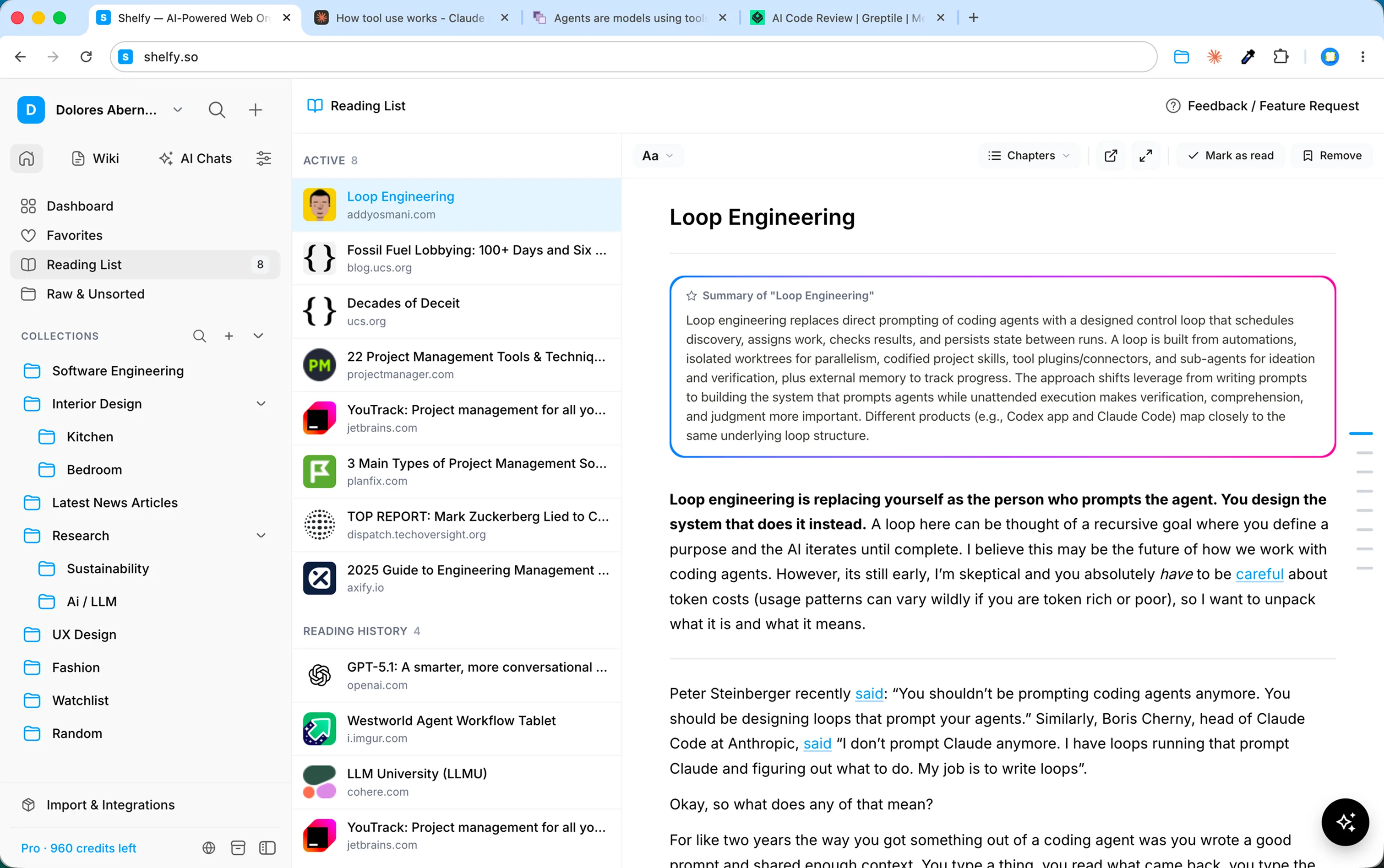
Reading, the way it should feel
Every article you save can be opened in read mode — a quiet, clutter-free view with just the words. Add anything to your Read Later list, pick up right where you left off, and when you finish, Shelfy remembers it for you. No ads, no pop-ups, no forty open tabs. Just reading.
Customize your reading experience
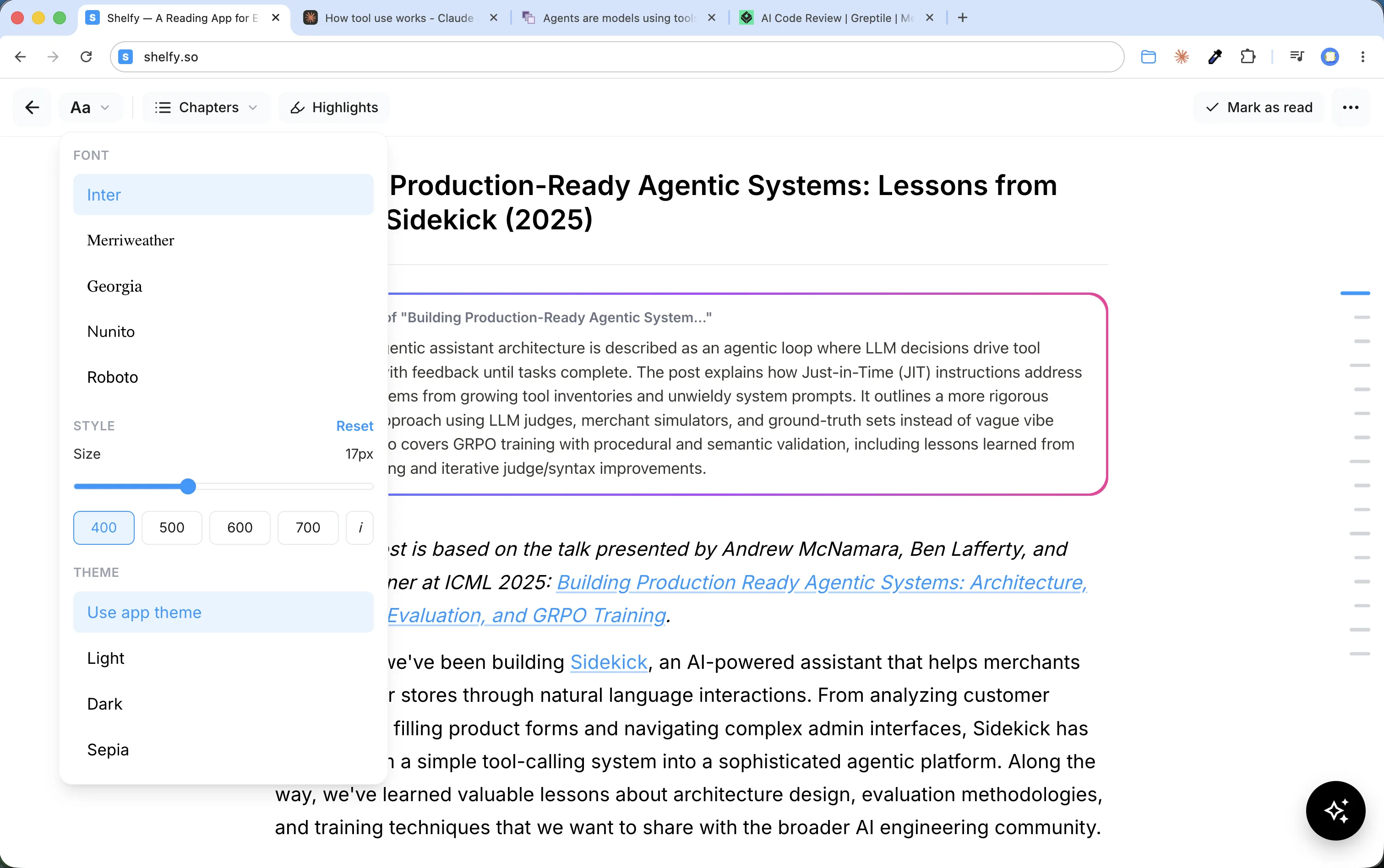
Make every article comfortable to read. Choose from five type families — from clean sans-serifs to book-style serifs like Merriweather and Georgia — set the text size that suits your eyes, and switch between light, dark, and sepia themes. All in one simple popover, just like your favorite e-reader.
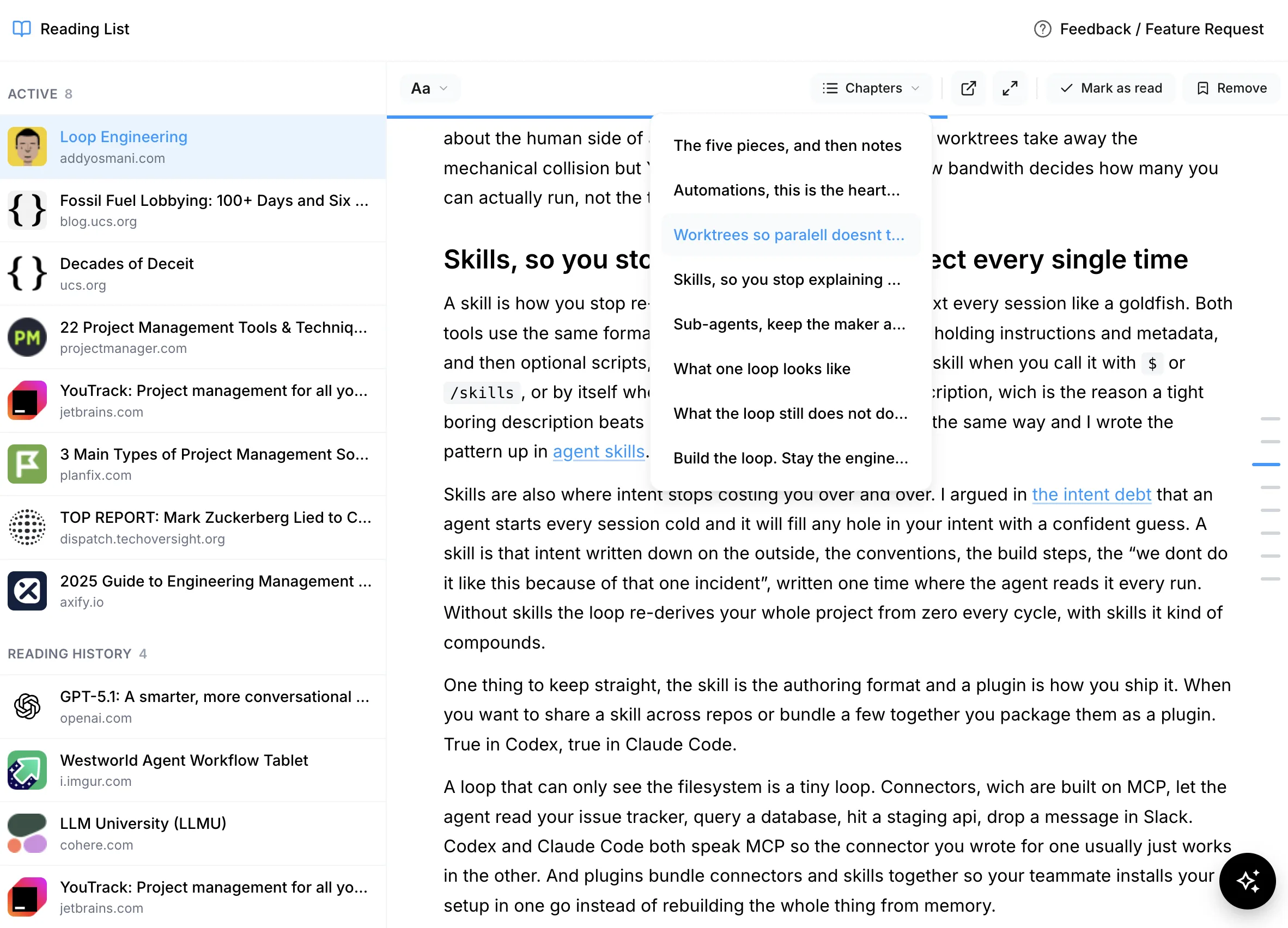
Chapters, extracted automatically
Long reads stop feeling long. Shelfy detects the structure of every article and splits it into chapters, so you can see the whole piece at a glance, jump straight to the section you need, and always know where you are.
Full-screen mode for deeper engagement
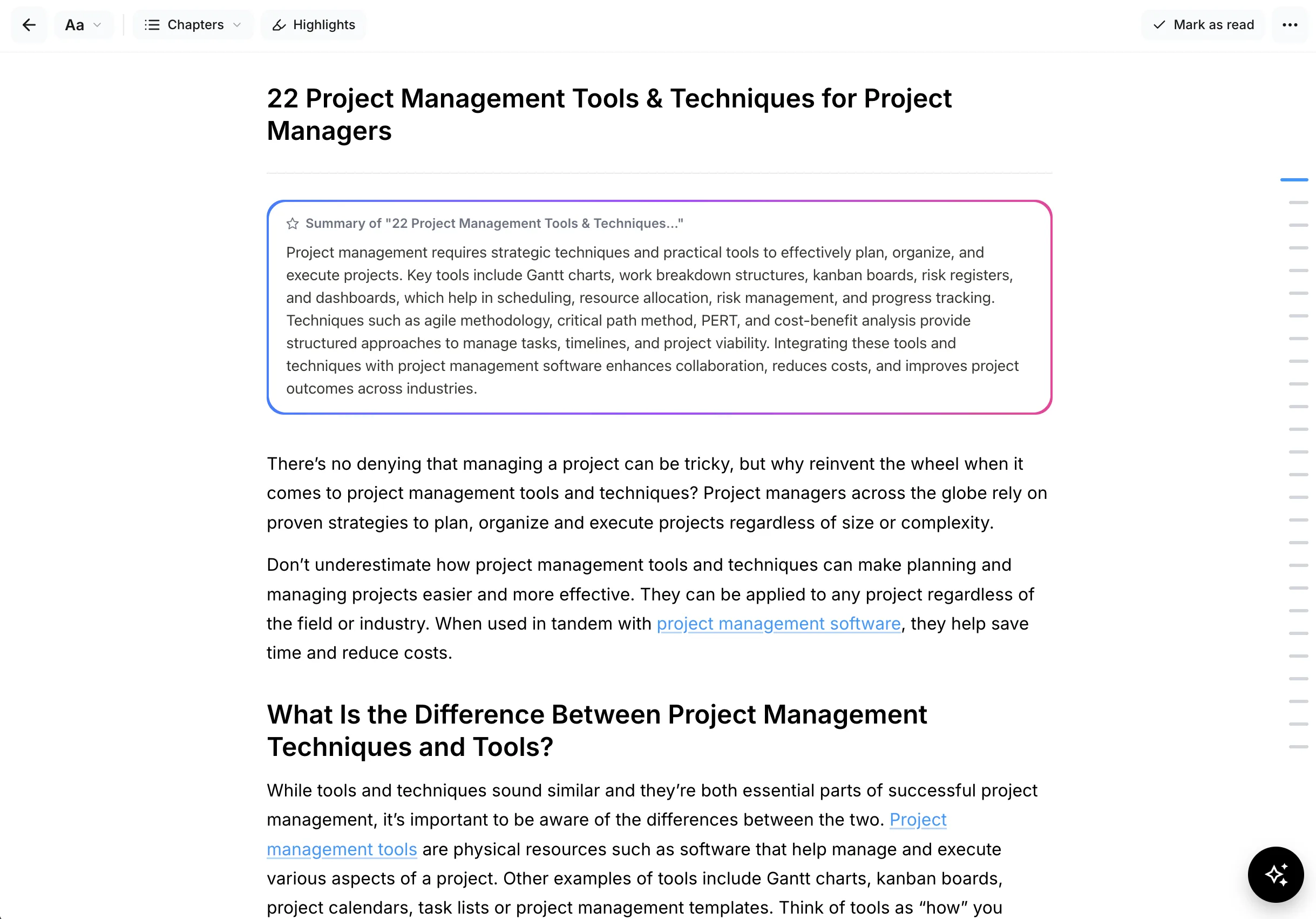
One click and the article takes over your entire screen — no sidebar, no menus, nothing competing for your attention. A subtle progress bar tracks how far you've read, and the article outline stays one click away, so even the longest reads feel effortless.
Mark as read when you are done
When you're done, mark an article as read and it moves to your reading history — a quiet record of everything you've finished. Revisit an old article in seconds, keep your Read Later list clean, and watch your reading add up over time.